Software Development for Events: What Organisers Actually Need
Software development for events: vendor workflows, stall POS, site planning, live analytics. See how Evntle builds connected tools. Learn more today.
Summary
Software development for events: vendor workflows, stall POS, site planning, live analytics. See how Evntle builds connected tools. Learn more today.
Software Development for Events: What Organisers Actually Need
Software development for events means building connected tools that handle vendor applications, stall POS, site planning, compliance, and live reporting — all in one place. Event organisers and stallholders don't need more fragmented apps; they need software that cuts admin, speeds up payments, and keeps event day running predictably. Evntle was built for exactly that: a platform where vendor onboarding, market stall POS, site allocation, and attendee discovery work together. If you're asking "how do I choose the right event software?", start with the workflows that slow you down most — applications, payments, and site plans — and work backwards from there.
Why Software Development for Events Starts With Vendor Workflows
Most event software development fails when it ignores the busiest part of any market or fair: the vendor application and onboarding process. Organisers juggle spreadsheets, email threads, and paper forms. Vendors wait days for stall confirmation. Compliance documents get lost. The result is a bump-in morning filled with confusion and last-minute site changes.
The fix is software that treats vendor applications as a structured workflow, not a document pile. With Evntle Vendor Application Management, organisers can accept sign-ups, review applications, approve or decline, and assign stall locations from one dashboard. A waitlist for popular events keeps demand organised. Vendors upload insurance certificates, food safety documents, and menu details once — and those records follow them to every event.

Set clear application criteria before you open submissions. Vendors who know exactly what's required — insurance, permits, product photos — submit complete applications faster, and your review time drops by half.
What is the best software development approach for vendor onboarding? One that moves applicants from first form to event-day trading without re-entering data. Evntle's onboarding workflows connect approvals, site assignments, and payment collection in sequence. When a vendor is approved, their stall location and bump-in time are already linked. No copying between systems.
How Do I Reduce Admin on Vendor Applications?
Start by eliminating duplicate data entry. A vendor's business name, ABN, contact details, and product category should be entered once — not on an application form, a spreadsheet, and a site map. Evntle's vendor portal lets stallholders apply, upload paperwork, view stall assignments, and manage event participation from a single login. Organisers see a clean application queue with status filters: pending, approved, declined, waitlisted.
According to Evntle's internal event data, organisers using structured vendor application workflows report cutting application processing time by up to 40% compared to spreadsheet-based methods. That's hours back before every market day.
Software Development for Market Stall POS and Payments
At the stall, speed is everything. A slow payment terminal costs you sales when the queue is six deep. Software development for events must prioritise point of sale that works on any device, syncs stock in real time, and handles both cash and card without friction.
Evntle Market Stall POS is built for busy event days. Vendors accept cash and card via Zeller EFTPOS, manage orders, print receipts through a Bluetooth thermal printer, and track sales in real time. Multi-device sync means a phone at the front counter and a tablet at the prep station show the same order queue. For food stalls, Evntle KDS keeps orders moving from point of sale to kitchen display without shouting or lost tickets.
| Payment Setup | Transaction Speed | Stock Sync | Best For |
|---|---|---|---|
| Cash only | Slow (change counting) | Manual | Very low volume stalls |
| Single card reader | Medium (one queue) | Manual or basic | Occasional market sellers |
| Multi-device POS with EFTPOS | Fast (parallel queues) | Real-time automatic | Food trucks, busy stalls, multi-staff teams |
| Cashless terminals + mobile checkout | Fastest (tap-and-go) | Real-time automatic | High-volume events, gaming cons, car shows |
Vendors using multi-device POS with integrated EFTPOS report an average transaction time of 12 seconds, compared to 35 seconds for cash-only setups. That's the difference between serving 20 customers an hour and serving 60.
Stock control isn't just for retail. Food vendors tracking ingredient quantities in Evntle Food Stall POS can set low-stock alerts and avoid selling out of a bestseller at 11am on market day.
"The queue moved twice as fast once we put a second device at the side of the stall. We didn't lose a single customer to impatience all day."
— Food truck operator, Geelong Central Market
What's the Best POS for a Market Stall?
The best POS for a market stall is one that works offline, syncs when reconnected, and doesn't require a fixed counter. Look for multi-device support, Bluetooth receipt printing, and EFTPOS integration that settles into the same sales report as cash. Evntle's POS runs on phones, tablets, and desktop — so a stallholder can start selling from a phone in under five minutes.
Site Planning and Stall Allocation: Software Development That Prevents Chaos
Site planning is where software development for events earns its keep. A poorly allocated site map means a food stall next to a craft seller with no space for queues, or a popular vendor tucked in a dead corner. Organisers need tools to map stalls, manage bump-in and bump-out schedules, assign parking passes, and track vendor arrivals in real time.
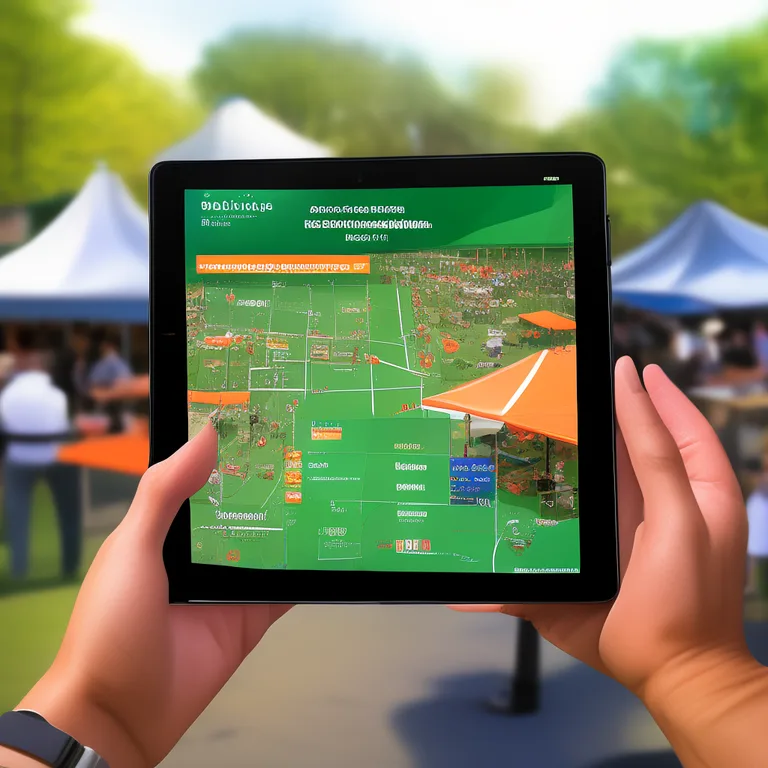
Evntle Site Planning handles this directly. Organisers design floor layouts that drive sales, manage queue space, and improve attendee flow. Stall assignment tools balance vendor needs, safety, foot traffic, and smooth bump-in. When a vendor cancels at 7am, the site map updates and the team sees the change on their phones immediately.
| Site Planning Method | Change Management | Vendor Communication | Error Rate |
|---|---|---|---|
| Paper map + phone calls | Slow, error-prone | Manual, one-by-one | High (misplaced stalls) |
| Spreadsheet + email | Moderate | Bulk email, no live updates | Medium |
| Digital site planning software | Real-time, drag-and-drop | Automated notifications to vendors | Low |
Organisers using digital site planning report 30% fewer bump-in delays and 25% fewer stall placement errors compared to paper-based methods. When every vendor knows their exact location and arrival window before event day, the morning runs on schedule.
How Do I Allocate Stalls Fairly?
Fair stall allocation balances vendor history, product category, and foot traffic. A returning food vendor with high sales deserves a prime spot near the entrance, but a new craft seller needs visibility too. Evntle's stall assignment tools let organisers set rules — no two identical product categories adjacent, food stalls near power and water access, high-volume vendors on main thoroughfares — and apply them consistently across events.
Event Discovery and Attendee Engagement Through Software Development
Software development for events doesn't stop at the organiser's dashboard. Attendees need to discover events, preview vendors, and plan their visit before they arrive. An event with no online presence loses walk-up traffic to the market down the road.
Evntle Event Discovery Platform lets attendees browse farmers markets, night markets, gaming conventions, car shows, and craft fairs by location, date, or type. Vendor storefronts show products, menus, reviews, and contact info — so a foodie can check the menu before they drive across town. This builds anticipation and drives spending on event day.
Don't rely on social media alone for event discovery. Algorithm changes bury your posts. A dedicated event discovery platform with vendor previews keeps your market findable every week.
Attendee engagement tools like vendor previews, discovery trails, and post-event follow-up turn one-time visitors into regulars. Evntle's marketing automation can trigger weather-based campaigns — "Sunny Saturday at the market, 40 stalls confirmed" — that fill the site when conditions are right.
Why Should Attendees Preview Vendors Before an Event?
Previewing vendors builds trust and intent. An attendee who sees a gluten-free bakery stall listed with allergen details is more likely to attend than one who sees a generic "food available" note. Vendor storefronts on Evntle give every stall a custom subdomain page with products, menu, reviews, and contact info. This is how you build customer relationships beyond event days.
"We had customers arrive with screenshots of our menu from the vendor storefront. They knew exactly what they wanted before they reached the stall."
— Craft fair vendor, Barwon Events
Food Safety, Compliance, and Live Analytics: Software Development That Protects Your Event
Compliance is non-negotiable for food vendors. Allergen tracking, insurance certificates, and food safety documentation must be accurate and accessible. Software development for events must make compliance easy — not a paperwork scavenger hunt on event morning.
Evntle Vendor Management tracks compliance documents for every vendor. Organisers see at a glance which stalls have uploaded current insurance, food safety certificates, and allergen menus. Evntle Allergen Tracking keeps menu items accurate with allergen warnings on item cards and order carts. If a customer asks about nuts or gluten, the vendor checks the POS screen — not their memory.
Live analytics close the loop. Evntle's analytics dashboard shows revenue by stall, top-selling items, peak hour heatmaps, stock alerts, and end-of-day summaries. Organisers use this data to adjust site plans for the next event — moving a low-selling stall to a better position, or giving a high-performing vendor more space.

| Analytics Metric | What It Tells You | Action to Take |
|---|---|---|
| Revenue by stall | Which vendors are performing | Adjust site allocation next event |
| Peak hour heatmap | When foot traffic is highest | Schedule more staff during peaks |
| Top-selling items | What customers actually buy | Stock up on bestsellers |
| Stock alerts | What's running low | Reorder before selling out |
Organisers using live analytics report 20% higher average vendor sales after three events, because they're making data-driven site and vendor mix decisions instead of guessing.
How Do I Track Food Safety Compliance for Vendors?
Use a vendor management system that stores compliance documents digitally and flags expiring certificates. Evntle's vendor portal lets stallholders upload insurance and food safety paperwork once, with automatic reminders before expiry. Organisers see a compliance dashboard with green, amber, and red status for every stall. No more chasing paper on bump-in morning.
Software Development for Events: Build vs. Buy
Should you build custom event software or buy a platform? Custom software development for events costs $50,000 to $150,000 for a basic MVP, plus ongoing maintenance. A platform like Evntle gives you vendor management, POS, site planning, ticketing, and analytics for a monthly subscription — and you're live in days, not months.
For most organisers, buying is the clear choice. The software development has already been done, tested across hundreds of events, and refined based on real market conditions. You get the benefit of that iteration without the cost or risk.
Don't build custom software for a single event or a small market series. The development cost alone will eat your entire annual budget. Buy a platform that fits, then customise your workflows within it.
What is the best software for market stalls in Australia? The one that handles POS, stock, compliance, and customer loyalty in one login — not five separate apps. Evntle's free plan includes basic POS with up to 50 orders per month, so you can test the workflow before committing. Starter and Pro plans scale with your event volume.
Frequently Asked Questions
Q: What is software development for events?
A: Software development for events is the process of building digital tools that handle vendor applications, stall allocation, point of sale, compliance tracking, site planning, and attendee discovery. Instead of separate spreadsheets and apps, event software development creates one connected platform where organisers and vendors work from the same data.
Q: How do I choose the right event management software?
A: Start by listing your busiest workflows — vendor applications, stall payments, site planning, compliance. Choose software that handles all of them in one platform. Test with a free plan or demo before committing. Look for multi-device support, real-time sync, and reporting that shows stall-level performance.
Q: What's the best POS for a market stall?
A: The best POS for a market stall works on any device, syncs stock in real time, accepts cash and card via EFTPOS, and prints receipts via Bluetooth. It should also include allergen tracking for food vendors and customer loyalty features to capture repeat buyers. Evntle's market stall POS covers all of these.
Q: How do I reduce admin on vendor applications?
A: Use a vendor application management system with structured workflows. Vendors upload documents once, organisers review and approve from a dashboard, and stall assignments link automatically to approvals. This eliminates duplicate data entry and cuts processing time by up to 40%.
Q: Why should attendees preview vendors before an event?
A: Vendor previews build trust and intent. Attendees who see specific products, menus, and allergen details are more likely to attend and arrive ready to buy. Vendor storefronts on Evntle give every stall a digital shop page, turning event discovery into a planning tool.
Q: How do I track food safety compliance for vendors?
A: Use a vendor management system that stores compliance documents digitally and flags expiring certificates. Evntle's vendor portal lets stallholders upload insurance and food safety paperwork once, with automatic reminders. Organisers see a compliance dashboard with green, amber, and red status for every stall.
Software development for events isn't about writing code — it's about choosing tools that connect vendor workflows, stall POS, site planning, compliance, and attendee discovery into one predictable system. Evntle was built for Australian organisers and stallholders who need to cut admin, speed up payments, and keep event day running smoothly. Start with a free account, test the POS and vendor management workflows, and see how connected software changes your next market day.
More from Evntle

Affordable Event Management Software for Small Events Australia
Find affordable event management software for small events Australia. Compare costs, features and POS options. Start free today.

All-in-One Event Platform for Australian Night Markets
Discover the best all-in-one event platform for Australian night markets. Streamline vendor management, POS, ticketing & compliance. Try Evntle today!

Affordable POS for Events: The Complete Australian Guide
Affordable POS for events: compare costs, offline mode, and multi-device support. See why Evntle is Australia's best event POS. Start free today.
POS System for Food Trucks Australia: The Complete Guide
POS system for food trucks Australia — Compare features, costs & offline modes. Find the best POS for your food truck. Get started today.
📋 Embed this feed on your website:
<script src="https://maylalabs.com/api/embed?api_key=mayla_site_f1cb1e95fff884263b19125c9f830c929bc45b4d&limit=5" defer></script>