
CRM Software for Events: Vendor & Stall Management
CRM software for events: manage vendors, stalls, POS, compliance & analytics. See how Evntle helps Australian organisers sell more. Book a free demo today.
Summary
CRM software for events: manage vendors, stalls, POS, compliance & analytics. See how Evntle helps Australian organisers sell more. Book a free demo today.
CRM Software for Events: Vendor & Stall Management
CRM software for events is a system that manages vendor relationships, stall allocations, bookings, compliance documents, and sales data in one place. For Australian market and festival organisers, it replaces spreadsheets and email threads with a single dashboard covering applications, site planning, POS, and reporting. Evntle is built for exactly this — combining vendor management, point of sale, and event discovery so organisers can run markets, fairs, and festivals without admin chaos. If you're juggling vendor paperwork and stall maps, a proper CRM is the fix.

Most organisers start with a spreadsheet. It works for ten vendors. At fifty, it breaks — applications get lost, stall fees go unpaid, and food safety certificates expire without anyone noticing. That's when CRM software for events stops being a nice-to-have and becomes the backbone of your operation.
Why Event Organisers Need CRM Software
A CRM for events isn't just a contact list. It's the operational spine that connects vendor applications, stall allocation, compliance checks, payments, and post-event reporting. Without it, you're chasing information across email, spreadsheets, and text messages.
The numbers back this up. According to the Australian Bureau of Statistics, retail turnover through food retailing alone exceeded $150 billion annually in recent years, with markets and events capturing a meaningful share. Meanwhile, the Australian Farmers' Market Association reports that over 200 farmers markets operate nationally, many with 40+ stallholders each. That's thousands of vendor relationships to manage — and spreadsheets don't scale.
What a CRM Actually Does for a Market
- Centralises vendor records — contact details, insurance certificates, food safety permits, and payment history in one profile.
- Tracks applications — from submission to approval or waitlist, with automated status updates.
- Assigns stalls — maps vendor locations, parking passes, and bump-in times without double-booking.
- Manages compliance — flags expiring documents before event day, not after.
- Reports on performance — which vendors sell best, which events draw crowds, and where revenue comes from.
Run a vendor audit before every season. Export your vendor list, check every insurance and food safety document against expiry dates, and archive anyone who hasn't traded in 12 months. A clean list makes stall allocation faster.
Vendor Management and Stall Allocation Without the Chaos
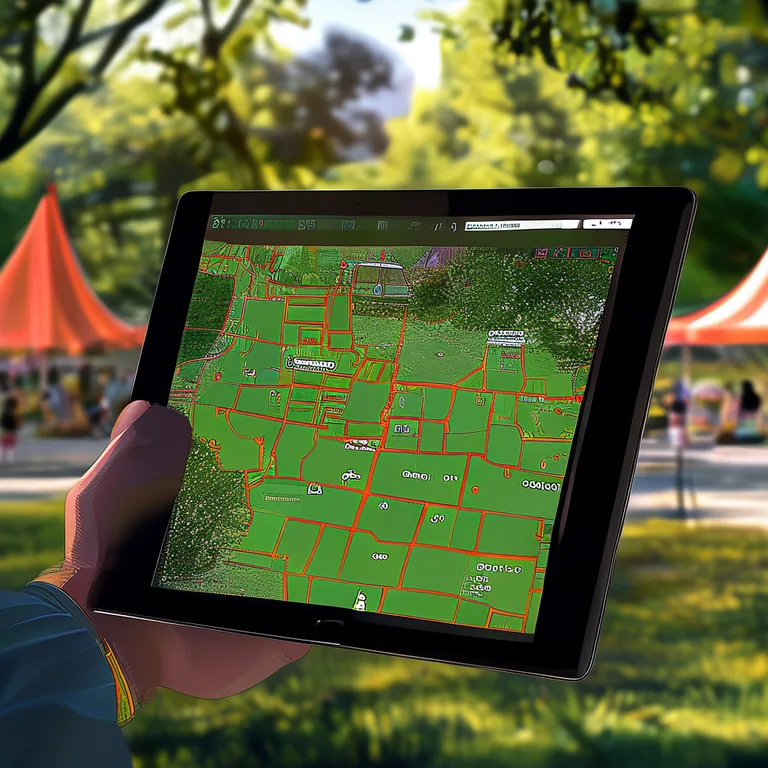
Stall allocation is where most organisers lose hours. You've got 60 vendors, 45 prime spots, and a dozen requests for the same corner near the entrance. A CRM with site planning tools turns this into a drag-and-drop exercise.
Evntle's Vendor Management Software handles applications, approvals, stall assignment, and waitlists in one flow. Vendors apply through a portal, you review and approve, then assign a site on a visual map. Parking passes and bump-in times attach to the same record.
How to Assign Stalls Fairly
- Rank vendors by tenure and category — long-standing stallholders and anchor categories (produce, coffee, hot food) get priority.
- Group complementary vendors — put food near seating, crafts near the entrance, and avoid clustering three coffee carts together.
- Reserve flexibility — keep 10% of sites unallocated for late additions or emergencies.
- Publish the map early — vendors plan their bump-in when they know their site.
- Track arrivals live — a CRM with bump-in/bump-out tracking shows who's on site and who's running late.
If you're running a farmers market specifically, Farmers Market Vendor Software for Busy Stalls walks through the workflow in detail, including recurring vendor rotations.
POS and Payment Processing Built for Stalls
A CRM that doesn't talk to your point of sale is only doing half the job. When vendor sales data flows into the same system that manages bookings, you get a complete picture of event performance.
Evntle POS supports cash, card via Zeller EFTPOS, split payments, and thermal receipt printing — all on any device. It works offline when mobile signal drops (a common problem at regional markets) and syncs when you're back online. For food vendors, the kitchen display system (KDS) and order board keep queues moving during peak service.
What to Look For in Event POS
| Feature | Why It Matters at Events | Evntle Support |
|---|---|---|
| Offline mode | Mobile signal is unreliable at regional markets and festivals | Yes — syncs when reconnected |
| Split payments | Groups often split bills at food stalls | Yes — cash, card, and mixed |
| Allergen warnings | Legal requirement and customer safety | Yes — warnings on item cards and cart |
| Multi-device sync | Multiple staff need live order visibility | Yes — phones, tablets, desktop |
| Real-time reporting | Know what's selling before the day ends | Yes — live revenue dashboard |
Evntle POS works on any device — phones, tablets, or desktop. You don't need to buy specialised hardware. Pair a Bluetooth thermal printer and a Zeller EFTPOS terminal and you're trading.
Food Safety and Compliance for Australian Vendors
Food safety compliance is non-negotiable in Australia. Every food stall must comply with Food Standards Australia New Zealand (FSANZ) Code, state health regulations, and local council requirements. A CRM that tracks documents and expiry dates keeps you audit-ready.
Key compliance items every food vendor needs on file:
- Food business registration with local council
- Food Safety Supervisor certificate (required in most states)
- Public liability insurance (minimum $10M–$20M depending on event)
- Allergen management plan
- Temperature control records for high-risk foods
Evntle's Food Safety Compliance for Market Vendors in Australia guide covers the full checklist. Within the CRM, you can attach documents to each vendor profile and set expiry alerts so nothing lapses mid-season.
"The danger zone is 5°C to 60°C. If your bain-marie drops below 60°C, you're not just risking a fine — you're risking someone's health."
— Evntle compliance guide
How Do I Track Vendor Compliance Without Chasing Paperwork?
Automate it. When a vendor applies through your CRM, require document upload as part of the application. Set expiry reminders 30 days out. Block approval for any vendor with missing or expired documents. Evntle's vendor application workflow does this natively — see Vendor Application Management Software That Works for the step-by-step setup.
Event Discovery, Vendor Storefronts, and Online Selling
Your event only sells if people know about it. Event discovery platforms get your market in front of attendees searching for things to do. Vendor storefronts keep your stallholders selling between events.
Evntle Event Discovery lists farmers markets, night markets, gaming conventions, car shows, and craft fairs with filtering by location, date, and type. Attendees find you. Vendors get a storefront at yourname.evntle.com with products, menus, reviews, and contact details — so a customer who loved their jam on Saturday can order more on Tuesday.
What Is the Best CRM for Event Vendors?
The best CRM for event vendors connects three things: organiser operations, vendor selling tools, and attendee discovery. If your CRM doesn't link to a storefront or a marketplace, vendors lose sales between events. Evntle's Vendor Storefront Software for Event Sellers connects the POS, the storefront, and the event listing so a sale on Saturday feeds a reorder on Wednesday.
Analytics, Reporting, and Sales Insights for Events
Post-event reporting tells you what worked. Live analytics tell you what's working right now. Both matter.
Evntle's analytics dashboard shows live revenue, top-selling items, peak hour heatmaps, stock alerts, and end-of-day summaries. For organisers, vendor performance metrics show which stalls drive foot traffic and which events draw the biggest crowds.
| Metric | What It Tells You | Action |
|---|---|---|
| Peak hour heatmap | When foot traffic and sales spike | Schedule staff and restock around peaks |
| Top-selling items | Which products carry the stall | Increase stock, feature in promotions |
| Vendor performance | Which vendors draw repeat customers | Prioritise stall allocation next event |
| Attendance tracking | How many people actually showed up | Adjust marketing spend and site size |
| End-of-day summary | Total revenue, transactions, average sale | Reconcile cash, plan next event |
Don't rely on gut feel for stall fee pricing. Use your analytics to see which site locations generate the most vendor revenue, then price accordingly. Underpricing prime spots leaves money on the table.
How Do I Choose CRM Software for My Market?
Ask five questions before you commit:
- Does it handle vendor applications end-to-end? Application, review, approval, waitlist, and stall assignment should live in one place.
- Does it connect to POS? If sales data sits in a separate system, you're double-handling.
- Does it track compliance documents? Expiry alerts and document storage are essential for food vendors.
- Does it offer a vendor storefront? Vendors need to sell between events, not just on the day.
- Does it support multiple events? If you run monthly markets, you need recurring event templates, not one-off setups.
Evntle covers all five. The free plan includes basic POS and up to 50 orders a month. Starter is $19/month with Zeller integration and up to 3 devices. Pro is $49/month with unlimited orders, KDS, customer display, and advanced analytics. For a full comparison of what to look for, see Best Software for Craft Fairs in Australia.
Frequently Asked Questions
Q: What is CRM software for events?
A: CRM software for events manages vendor relationships, stall bookings, compliance documents, payments, and sales data in one system. It replaces spreadsheets and email threads with a single dashboard for organisers running markets, fairs, and festivals.
Q: How do I choose CRM software for my market?
A: Look for vendor application management, stall allocation tools, POS integration, compliance document tracking, and multi-event support. If you run recurring markets, check for event templates and waitlist handling. Evntle covers all of these, starting from a free plan.
Q: Does Evntle handle food safety compliance for Australian vendors?
A: Yes. You can attach food safety certificates, insurance documents, and council registrations to each vendor profile, with expiry alerts set 30 days out. Evntle also includes allergen declarations with warnings on item cards and order carts.
Q: Can vendors sell online between events?
A: Yes. Every vendor gets a storefront at yourname.evntle.com with products, menus, reviews, and contact details. Sales from the POS and storefront feed into the same reporting dashboard.
Q: What's the best CRM for event vendors in Australia?
A: The best CRM connects organiser operations, vendor selling tools, and attendee discovery. Evntle combines vendor management, POS, storefronts, and event discovery in one platform, built specifically for Australian markets and festivals.
Q: How much does Evntle cost?
A: Evntle has a free plan with basic POS and up to 50 orders per month. Starter is $19/month with full POS features and Zeller integration. Pro is $49/month with unlimited orders, KDS, customer display, and advanced analytics.
CRM software for events isn't about adding another tool — it's about removing the ten you're already juggling. Vendor applications, stall allocation, compliance tracking, POS, and reporting belong in one system. Evntle is built for Australian organisers who run markets, fairs, and festivals and need to sell more on event day without drowning in admin. Start with the free plan, run one event, and see how much time you get back.
More from Evntle

Affordable Event Management Software for Small Events Australia
Find affordable event management software for small events Australia. Compare costs, features and POS options. Start free today.

All-in-One Event Platform for Australian Night Markets
Discover the best all-in-one event platform for Australian night markets. Streamline vendor management, POS, ticketing & compliance. Try Evntle today!

Affordable POS for Events: The Complete Australian Guide
Affordable POS for events: compare costs, offline mode, and multi-device support. See why Evntle is Australia's best event POS. Start free today.
POS System for Food Trucks Australia: The Complete Guide
POS system for food trucks Australia — Compare features, costs & offline modes. Find the best POS for your food truck. Get started today.
📋 Embed this feed on your website:
<script src="https://maylalabs.com/api/embed?api_key=mayla_site_f1cb1e95fff884263b19125c9f830c929bc45b4d&limit=5" defer></script>